
Download HT AVI to DVD – AVI to DVD, video conversion, DVD playback, multimedia tool, video format conversion, convert AVI to DVD, AVI to MPEG, DVD authoring, video file conversion, multimedia utility, video compression, AVI to DVD converter, video to DVD, AVI to MPEG2, DVD compatible video, video conversion software
Overview
HT AVI to DVD is a dedicated multimedia utility designed to simplify the process of converting AVI video files into formats compatible with standard DVD playback devices. The application addresses a common challenge faced by users who possess video content in AVI format but need to burn it to DVD for viewing on older or home theater systems. By bridging the gap between digital video files and physical media, HT AVI to DVD enables users to preserve and share their video collections in a universally accessible format.
Targeted primarily at individuals managing personal video archives, hobbyist filmmakers, and users with legacy AVI files, the app offers a streamlined solution for DVD authoring without requiring advanced technical knowledge. Its purpose is clear: to convert AVI and related video formats into MPEG-1/2, the standard for DVD playback, while maintaining visual fidelity. The app supports a variety of input formats, including DV-AVI, MPEG1/2, and WMV, making it a versatile tool for users with diverse media libraries.
Although the developer, HT Software, did not provide additional background details, the app’s longevity—first released in 2006—suggests a stable, focused design that has remained functional over time. In the broader context of multimedia tools, HT AVI to DVD fills a niche role for users seeking a lightweight, no-frills conversion utility. Despite the rise of newer formats and digital streaming, the demand for DVD-compatible outputs persists, particularly in educational, archival, and home entertainment settings.
Key Features & Functionality
- User-Friendly Interface: The app features an intuitive menu system that simplifies navigation through the conversion workflow. Even users without technical expertise can initiate and monitor the conversion process with minimal effort.
- High Conversion Speed: HT AVI to DVD is optimized for rapid processing, allowing users to convert files quickly without sacrificing output quality. This efficiency is particularly beneficial when handling multiple videos.
- Wide Format Support: The application supports a range of video inputs, including AVI, DV-AVI, MPEG1/2, and WMV. This ensures compatibility with most common video files created or downloaded in the past two decades.
- Quality Retention: During conversion, the app maintains image quality by using optimized compression ratios. This ensures that final DVD outputs remain sharp and visually consistent with the original source.
- Space-Efficient Outputs: By generating MPEG-1/2 files, the app reduces file size while preserving compatibility with DVD players. This makes it ideal for archiving or transferring videos to storage media with limited capacity.
For example, a user with a collection of AVI-formatted home videos can convert them into DVD-ready files in a single batch, then burn them to discs for family sharing. Similarly, educators or content creators can repurpose older AVI recordings into a format suitable for classroom presentations or public screenings. The app’s focus on simplicity and reliability makes it a practical tool for non-professional users who need dependable results without complex settings.
Interface, UX & Performance
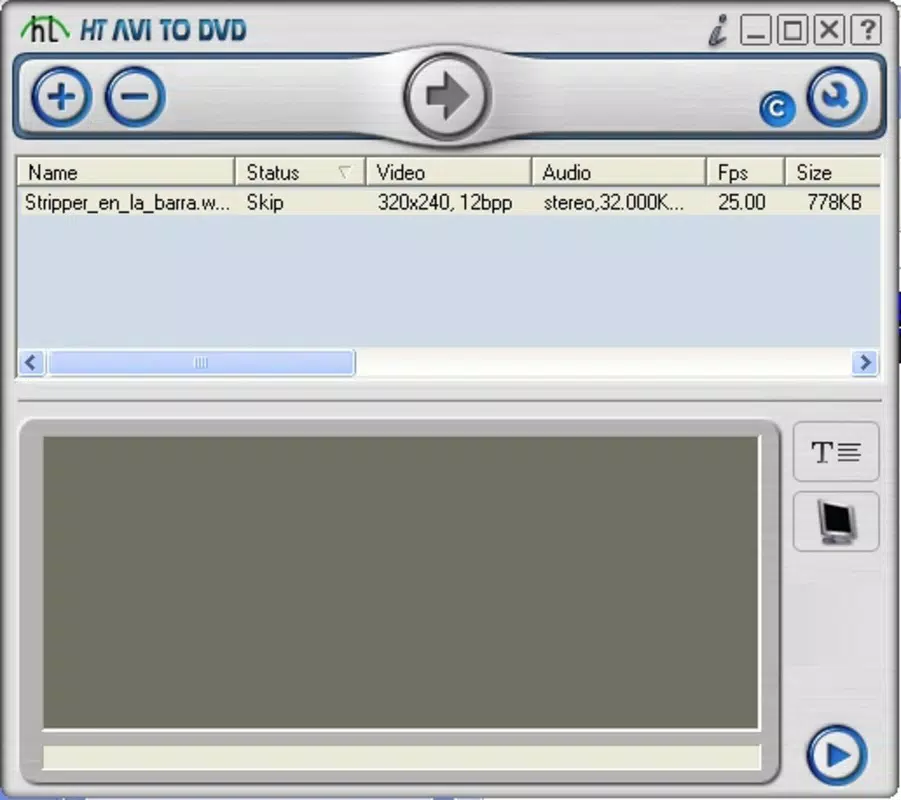
HT AVI to DVD presents a clean, minimalistic interface centered around a straightforward menu system. Navigation is linear and predictable, guiding users through file selection, format choice, and conversion initiation. The layout avoids clutter, prioritizing essential controls and status indicators, which contributes to a smooth user experience.
Although the developer did not list formal performance metrics, the app’s design suggests efficient resource usage. The 2.7 MB file size indicates a lightweight application, likely optimized for low system overhead. Users on older Windows systems may find it runs smoothly without strain, though specific compatibility details were not disclosed.
Responsiveness appears consistent during conversion, with real-time progress tracking and minimal lag. Stability is implied by the app’s long-standing presence, suggesting reliable operation over time. However, the absence of modern UI elements or touch-based interaction reflects its legacy status, making it best suited for desktop environments rather than mobile or tablet use.
Platform Compatibility & Technical Requirements
HT AVI to DVD is designed for the Windows platform and requires a compatible Windows operating system. The specific version and minimum OS requirements were not listed by the developer. The application’s file size is 2.7 MB, indicating a compact footprint that should fit on most storage devices.
Given its release date in 2006, the app is likely compatible with older versions of Windows, such as XP, Vista, or 7. However, compatibility with modern Windows 10 or 11 systems is uncertain and not confirmed. Users should exercise caution when installing on updated systems, as legacy software may encounter compatibility issues or require compatibility mode.
The developer did not specify additional hardware or software prerequisites. No external dependencies or runtime libraries were mentioned, suggesting the app may be self-contained. Users seeking to install it on current systems may need to verify functionality through testing or consult system logs for errors.
Pros and Cons
Pros
- Simple, intuitive interface suitable for non-technical users
- Fast conversion speeds without noticeable quality loss
- Supports multiple video input formats, including AVI and WMV
- Produces DVD-compatible MPEG-1/2 output files
- Lightweight file size (2.7 MB) with minimal system impact
Cons
- No information provided about compatibility with modern Windows versions
- Limited to Windows platform; no support for macOS or Linux
- No mention of update frequency or developer support
- Outdated release date raises concerns about long-term reliability
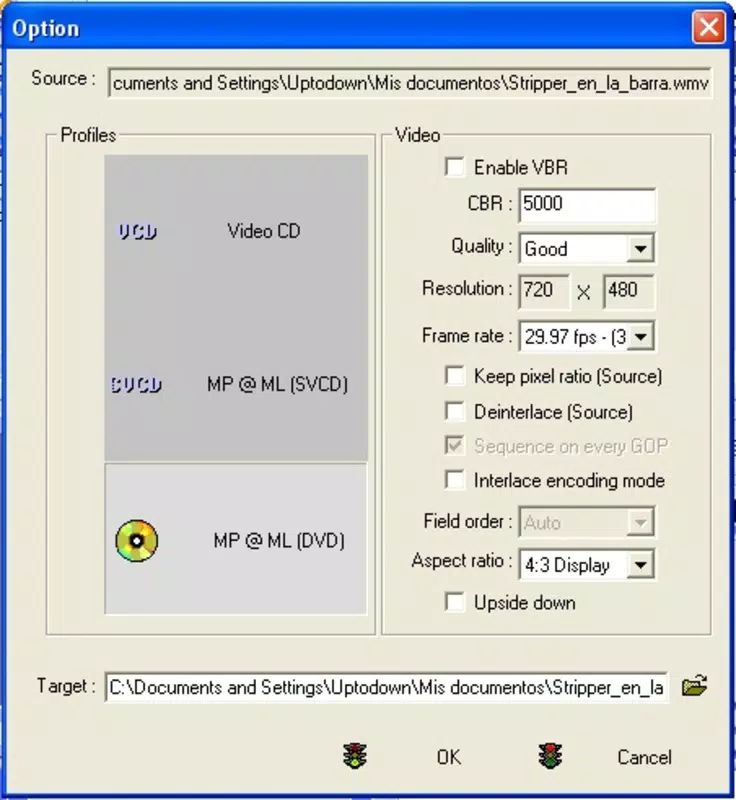
- Lacks advanced customization options for video encoding settings
FAQ
Is HT AVI to DVD safe to download and install?
Yes, the app is available from its official developer, HT Software. However, as a legacy application released in 2006, users should scan the file with up-to-date antivirus software before installation to ensure security.
Can I use HT AVI to DVD on Windows 10 or Windows 11?
Compatibility with Windows 10 or 11 is not officially confirmed. While some users may run it successfully using compatibility mode, results can vary. Testing on a virtual machine or backup system is recommended.
Does HT AVI to DVD support video compression?
Yes, the app offers compression options that reduce file size while maintaining DVD compatibility. Output files are generated in MPEG-1/2 format, which is efficient for storage and playback.
Is there a free version of HT AVI to DVD available?
No, the app is not free. It is available for purchase at $29.95. No trial or demo version was mentioned in the provided information.
How do I update HT AVI to DVD?
There is no publicly available information about updates or a version history beyond the initial release in 2006. The developer did not provide update mechanisms or changelogs.
Final Thoughts
HT AVI to DVD remains a niche but functional tool for users who need to convert AVI files into DVD-compatible formats. Its straightforward interface, fast processing, and focus on quality retention make it a reliable choice for legacy video conversion tasks. While its age and lack of modern support are notable drawbacks, it continues to serve a specific purpose in multimedia management.
Those who manage personal video archives, preserve home movies, or prepare content for DVD playback will find value in this utility. It is especially useful for users with older Windows systems or those who prefer lightweight, single-purpose tools.
Despite its limitations, HT AVI to DVD delivers on its core promise: converting AVI files to DVD-ready MPEG-1/2 output with minimal hassle. For its target audience, it remains a practical solution in a world where digital formats evolve rapidly.
Download HT AVI to DVD now


